
Best UX Research & Testing Tools (Free & Paid)
Tools for research, testing and UX workflows
UX work spans research, prototyping, testing, and analytics. These tools cover the workflow — from rapid mobile prototyping with Mockup and Marvel to session replay with Smartlook, sitemap planning with VisualSitemaps and Octopus, and accessibility checks with Figma's Color Blind plugin and Toptal's color filter.
Featured
Feature your tool herePin this list · $149/mo · labeled PartnerResources

Figma Color Blind Plugin
Figma Color Blind Plugin is a plugin for the Figma design tool that helps you check designs for color blindness.
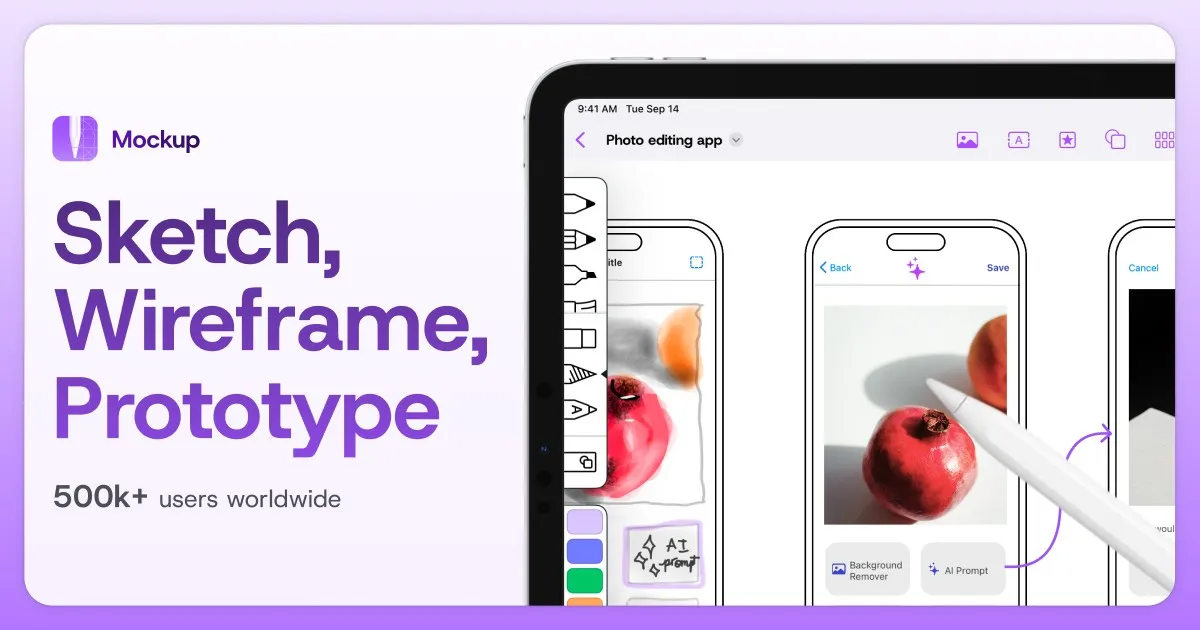
Mockup
Mockup redefines the entire process of sketching UI & UX projects for iOS.
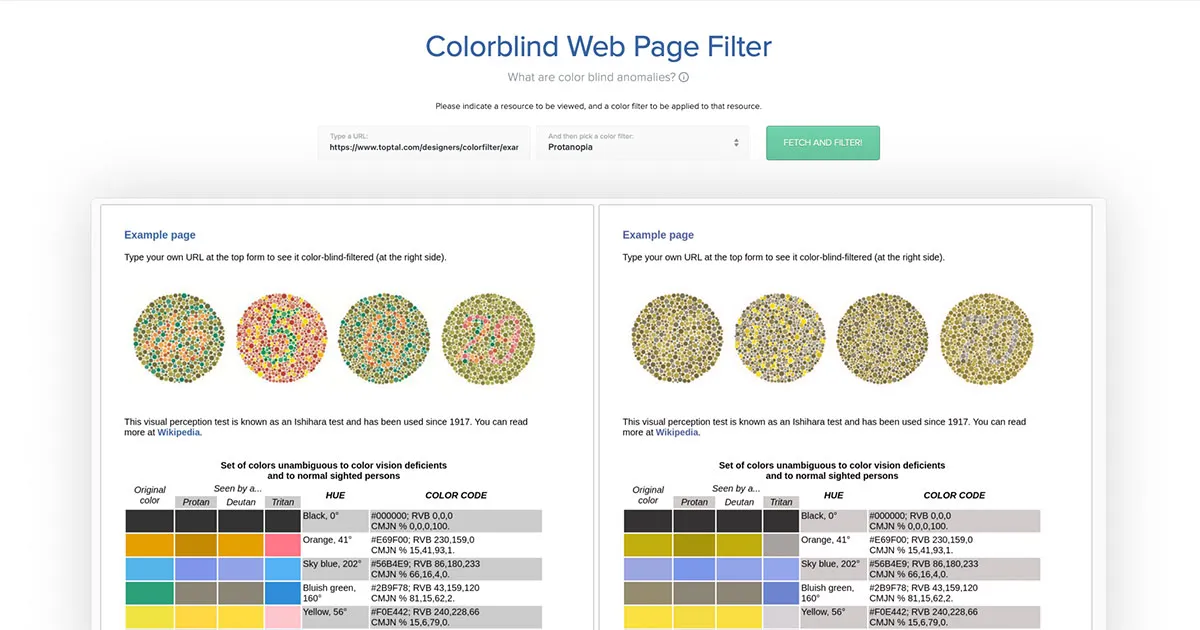
Toptal Color Filter
Toptal Color Filter is a website that allows you to check your website for color blindness issues.
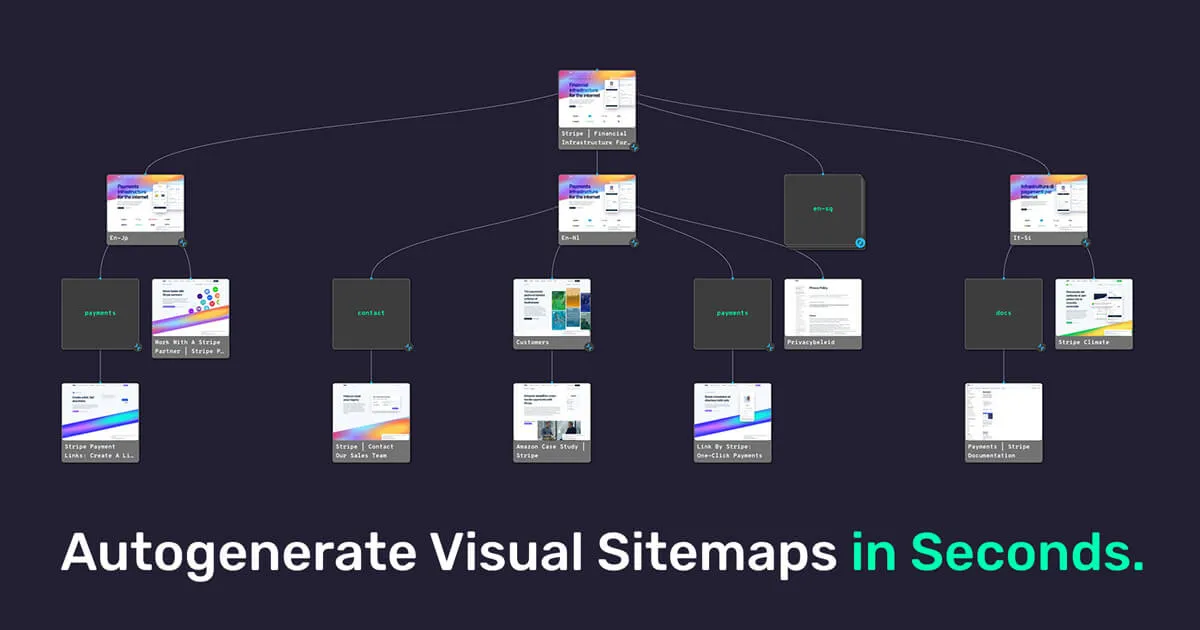
VisualSitemaps
Automatically generate beautiful visual sitemaps + high-resolution screenshots of any public or private website, making it fast and easy to perform in-depth site audits for UI, UX, SEO, and marketing research.
Frequently Asked Questions
What tools do UX designers use for research?
Teams combine Marvel for prototyping, Smartlook for analytics and session replay, and Figma plugins like Color Blind for accessibility checks during design reviews.
Free alternatives to Hotjar for UX analytics?
Smartlook offers a free tier with session recordings and heatmaps. Google Analytics covers quantitative data, though it's less visual for UX-specific workflows.
How do I test designs for color blindness?
Use the Figma Color Blind plugin during design reviews. Stark and browser-based simulators help validate contrast and color vision accessibility before handoff.
When should I run usability tests?
Test early with low-fidelity prototypes to validate concepts, then again before launch on high-fidelity flows. Even five users per round surfaces most major usability issues.
What is session replay and when is it useful?
Session replay tools like Smartlook record how real users navigate your product. They're valuable after launch to find drop-off points, rage clicks, and confusing flows that analytics alone won't explain.